Tag List
You can check the tag list here.
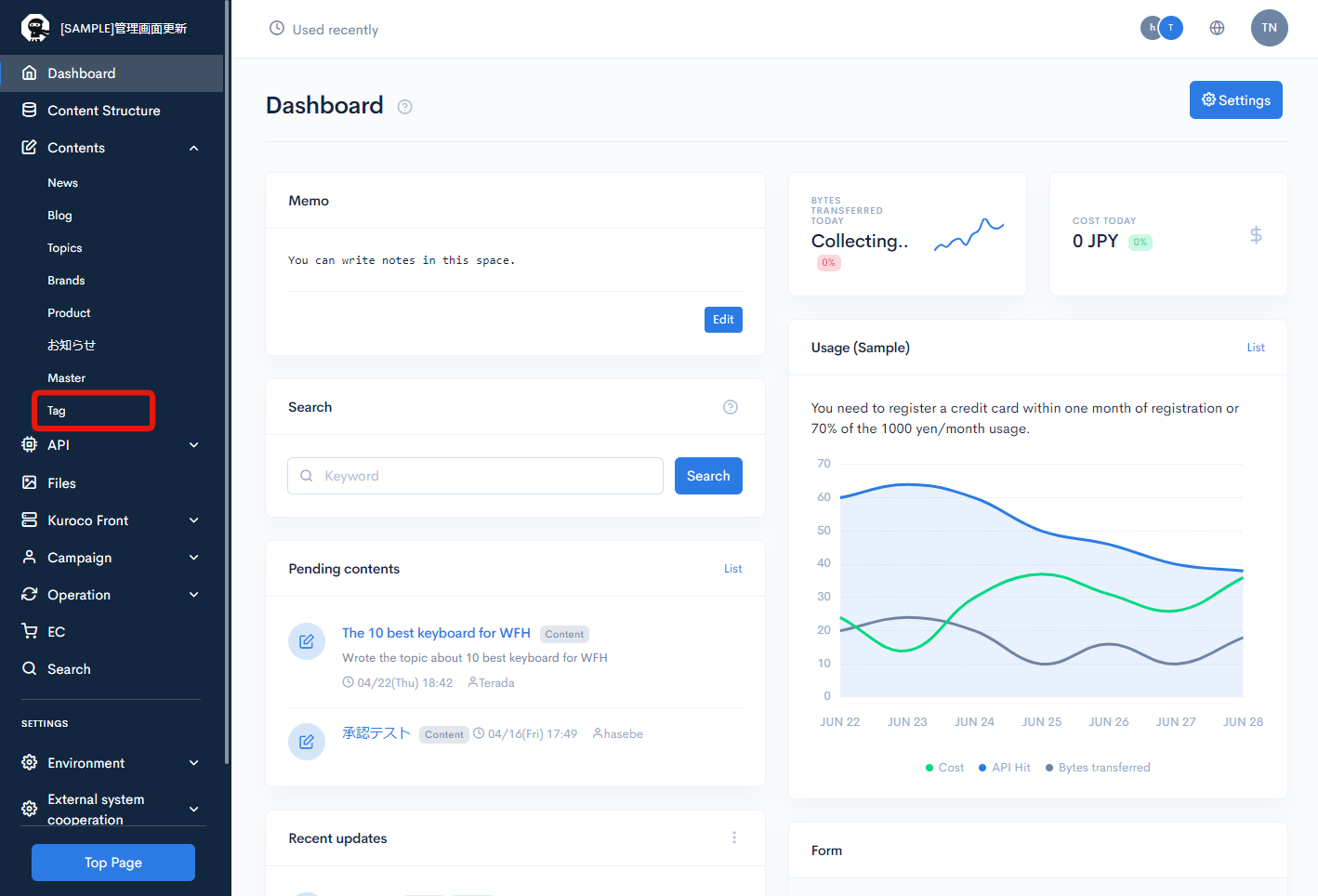
How to access Tag List page
Click [Contents] -> [Tag].
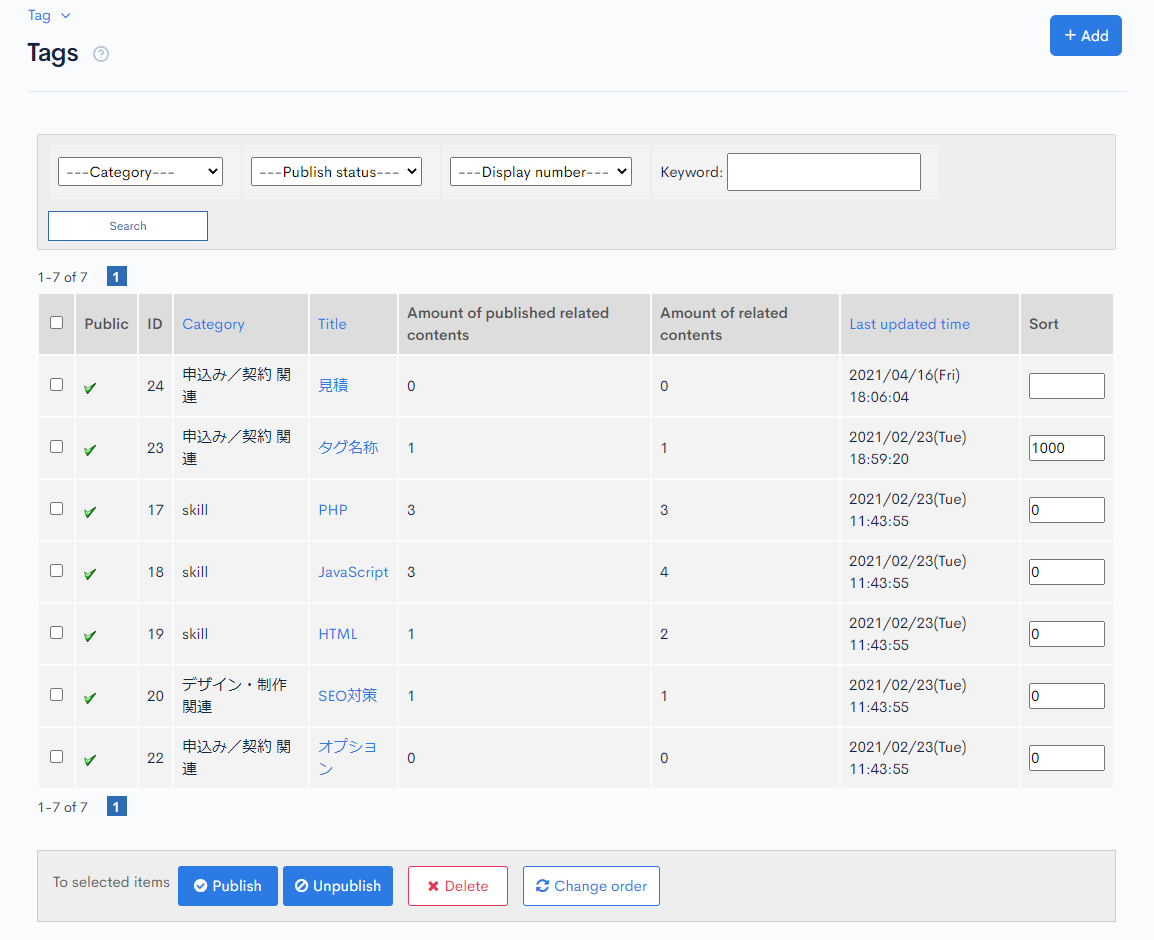
Tag List Item Description
| Item | Description |
|---|---|
| Search | You can search existing tags. Input the condition and click [Search]. |
| Public | It shows whether the tag is published or not. : Published : Published : Unpublished : Unpublished |
| ID | ID of the tag which is generated automatically when the tag is created |
| Category | categories which are selected on the editing page |
| Title | the name of the tag |
| Amount of published related contents | the number of published topics which have the tag |
| Amount of related contents | total number of topics which have the tag |
| Last update | latest date & time which the tag has been updated |
| Sort | Items are displayed from biggest to smallest number. To change the order, input the number and press [Change order] button at the bottom. |
Batch process
Check the checkbox of desired tags and click any of [Publish],[Unpublish] and [Delete] buttons. The list will be updated accordingly.
Support
If you have any other questions, please contact us or check out Our Slack Community.