Coupon code upload
In Coupon code upload, you can upload coupon codes in bulk using a CSV file.
Accessing the screen
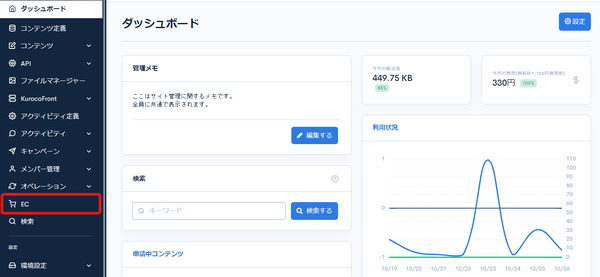
Click [EC].
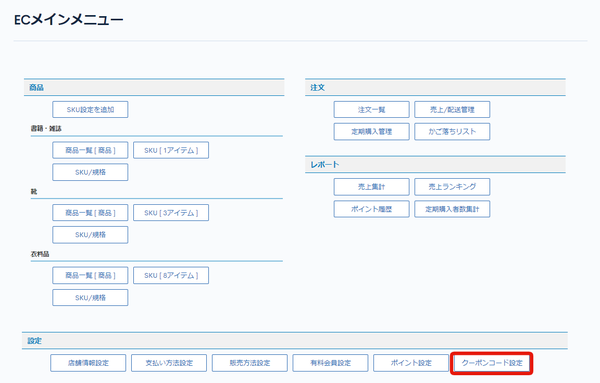
 In the E-commerce main menu, click [Coupon code settings].
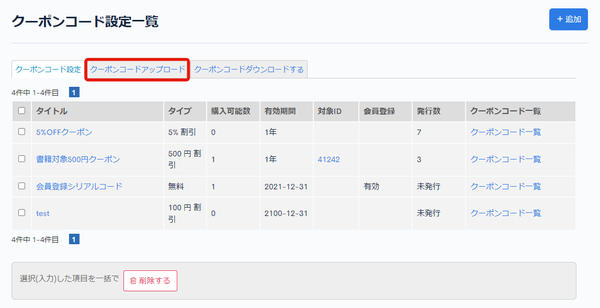
 On the Coupon code settings page, click the [Coupon code upload] tab.
Field descriptions
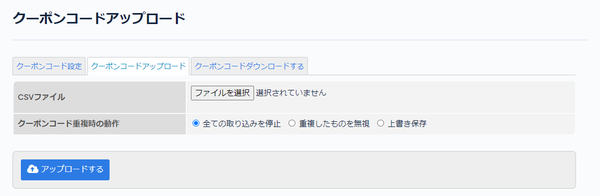
| Field | Description |
|---|---|
| CSV file | Select the CSV file to upload. You can download a CSV template from Coupon code download. |
| Duplicated coupon code behavior | Select the behavior when a coupon code is duplicated. |
| Upload | Click to upload coupon codes with the information in the selected CSV file. |
About the CSV file
*Get the CSV format from "Coupon code download".
*The "Target product", "Amount", "Expiry date", and "Last updated" fields are ignored during upload.
| Field | Description |
|---|---|
| Coupon code | The target coupon code. For new registrations, specify a string that does not duplicate any coupon code already issued. If it duplicates an already issued code, it is processed according to the selection in Duplicated coupon code behavior.By default, coupon codes are 16 characters long. |
| Coupon code structure ID | Specify the "Coupon code structure ID" of the target coupon code.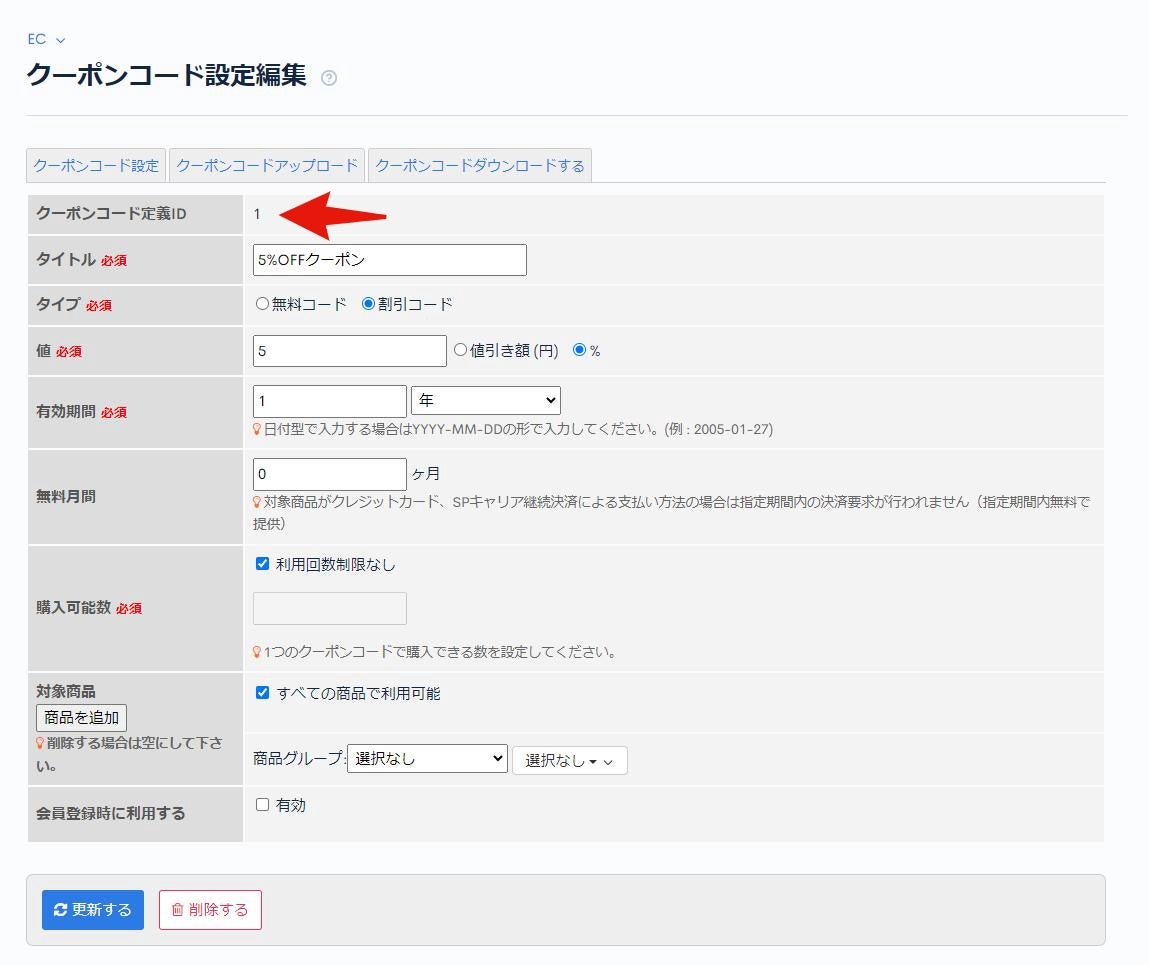 |
| Published date | The date the coupon code is registered. |
Related documents
Support
If you have any other questions, please contact us or check out Our Slack Community.