Trigger email address
In Kuroco's mail-sending features, you can specify a "trigger email address" as the recipient.
A trigger email address is a special address in the format (local part)@(service name).r-cms.jp. Mail addressed to it is not sent as an actual email; instead, the mail body is delivered to an external service, or a batch process or AI agent is started.
Basic information
| Item | Description |
|---|---|
| Type | Recipient address format for mail sending |
| Target | Mail-sending features such as notification emails and newsletters |
| Use case | Sending messages to external services or starting a batch process / AI agent, triggered by mail sending |
Trigger email addresses can be used wherever a mail recipient can be specified. Examples include:
- [Delivery email address] of a form
- Mail sending in custom functions (
sendmail)
List of trigger email addresses
| Destination | Address format | Value for the local part (before the @) |
|---|---|---|
| Slack | {channel}@slack.r-cms.jp | Destination channel (channel ID or #channel-name) |
| LINE | {LINE ID}@text.line.r-cms.jp | Destination LINE user ID |
| Text (SMS) | {tel}@twilio.r-cms.jp | Destination phone number |
| X (formerly Twitter) | {twitter_id}@tweets.twitter.r-cms.jp | Not used |
| Batch process | {batch_id}@batch.r-cms.jp | Batch ID |
| AI agent | {ai_agent_id}@agent.r-cms.jp | Agent ID or slug |
Slack
Posts the mail body to the specified Slack channel. The local part is the destination channel (channel ID or #channel-name).
{channel}@slack.r-cms.jp
The Slack integration must be enabled with a Bot User OAuth Token configured.
The trigger email address is shown on the [Channels] -> [Messaging] -> [Slack] screen.
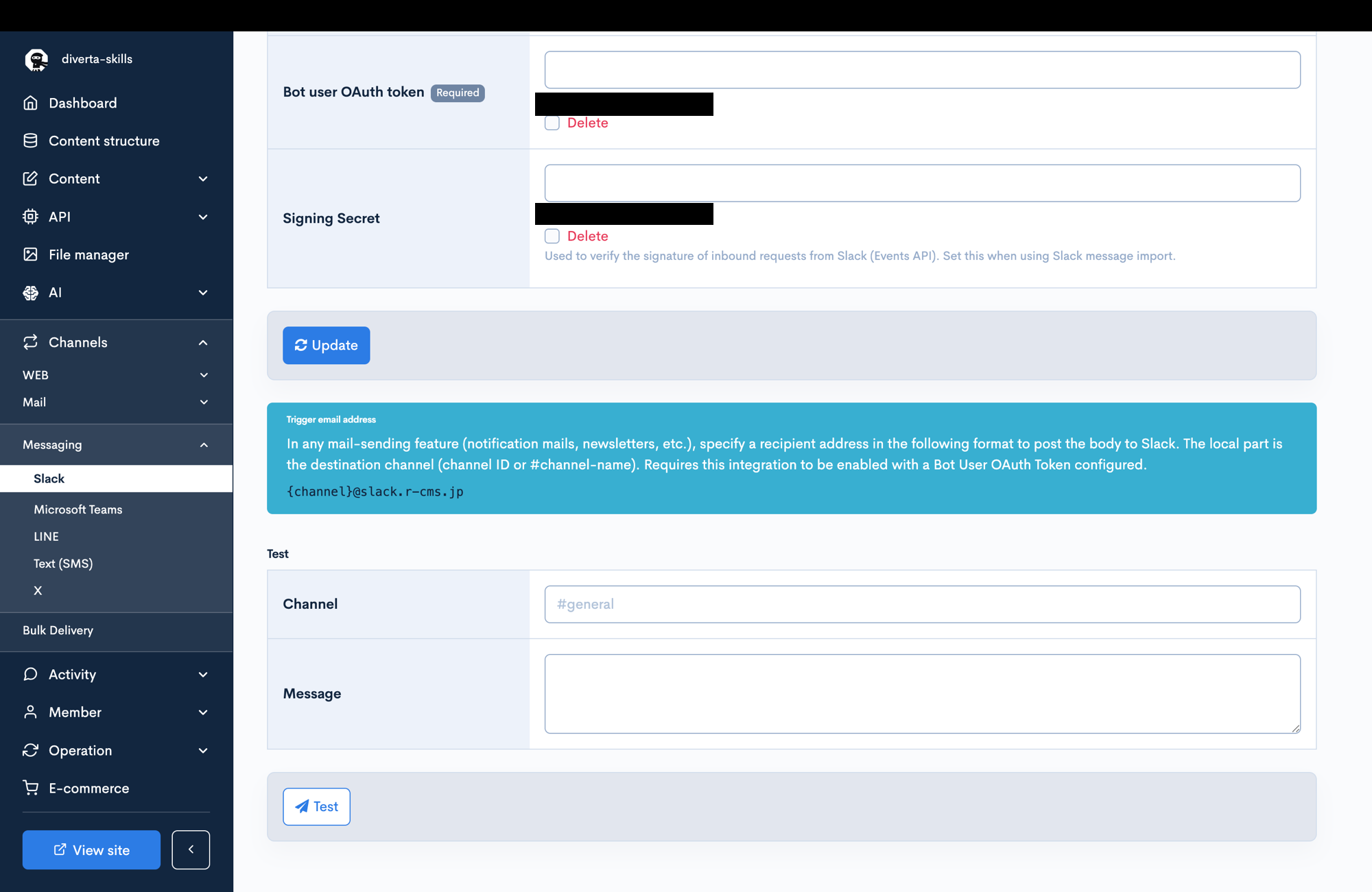
See Slack for how to configure the Slack integration.
See Create a Slack app and configure the bot user OAuth token in Kuroco for how to obtain the Bot User OAuth Token.
LINE
Sends the mail body to a LINE user. The local part is the destination LINE user ID.
{LINE ID}@text.line.r-cms.jp
The trigger email address is shown on the [Channels] -> [Messaging] -> [LINE] screen.
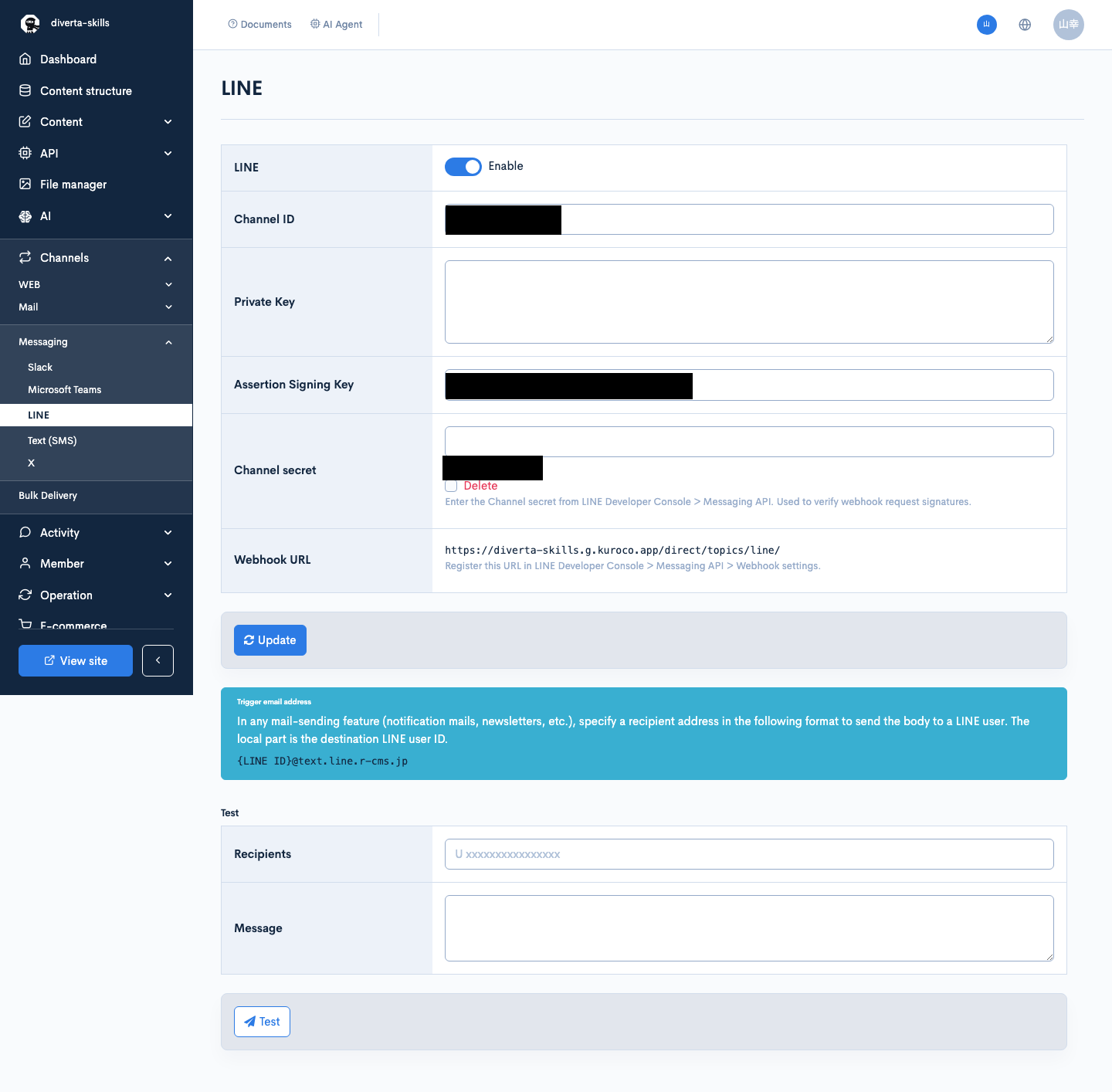
See LINE and Sending messages to LINE users for how to configure and use the LINE integration.
Text (SMS)
Sends the mail body as an SMS. The local part is the destination phone number.
{tel}@twilio.r-cms.jp
The trigger email address is shown on the [Channels] -> [Messaging] -> [Text (SMS)] screen.
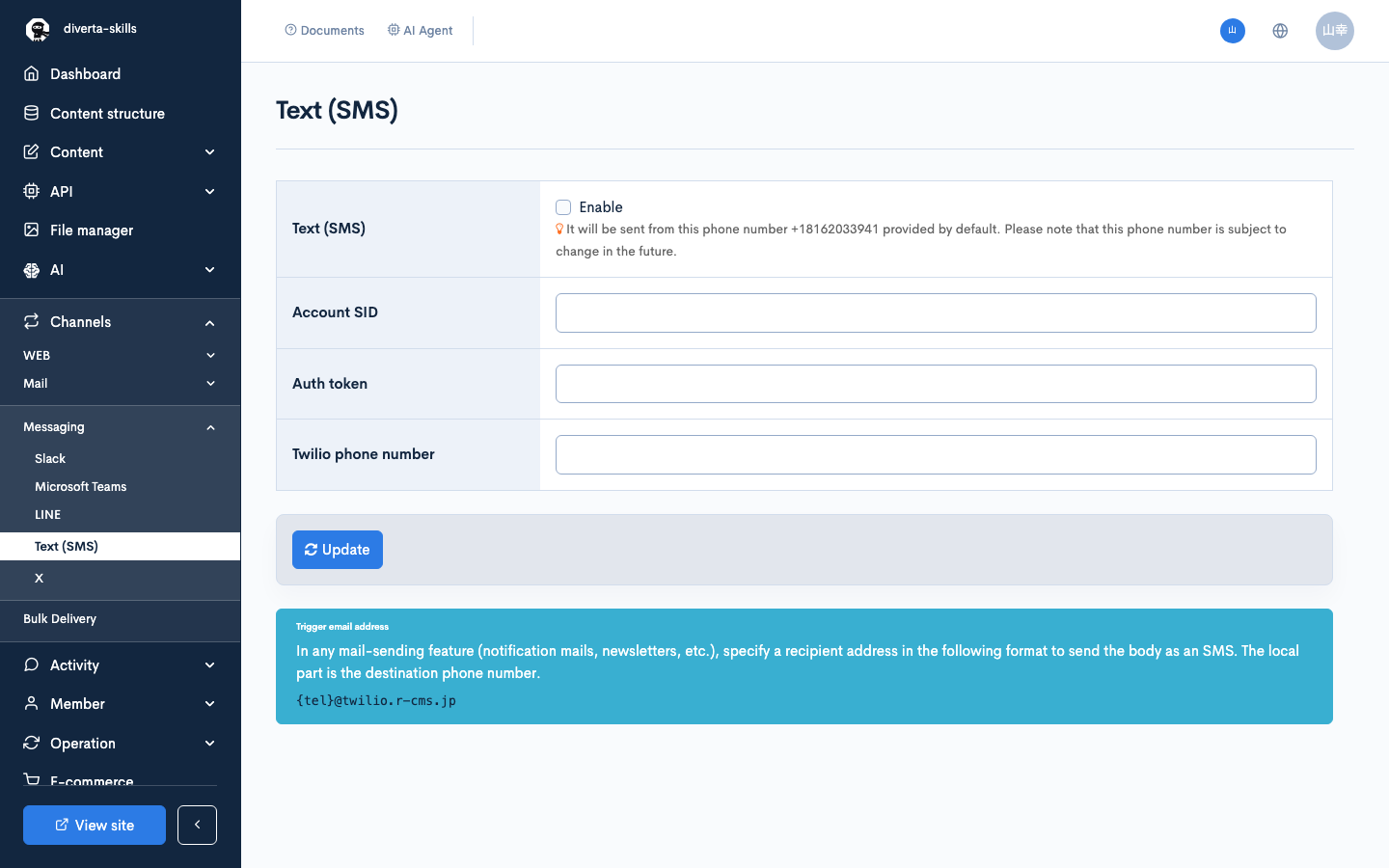
In a custom function, the following sends an SMS:
{sendmail var=result to="(phone number)@twilio.r-cms.jp" subject="Test" contents="This is Test"}
See Text (SMS) and Connecting to Twilio and send SMS for how to configure and use the SMS integration.
X (formerly Twitter)
Posts the mail body to X. The post is made from the account tied to the configured access token (the local part is currently unused).
{twitter_id}@tweets.twitter.r-cms.jp
The trigger email address is shown on the [Channels] -> [Messaging] -> [X] screen.
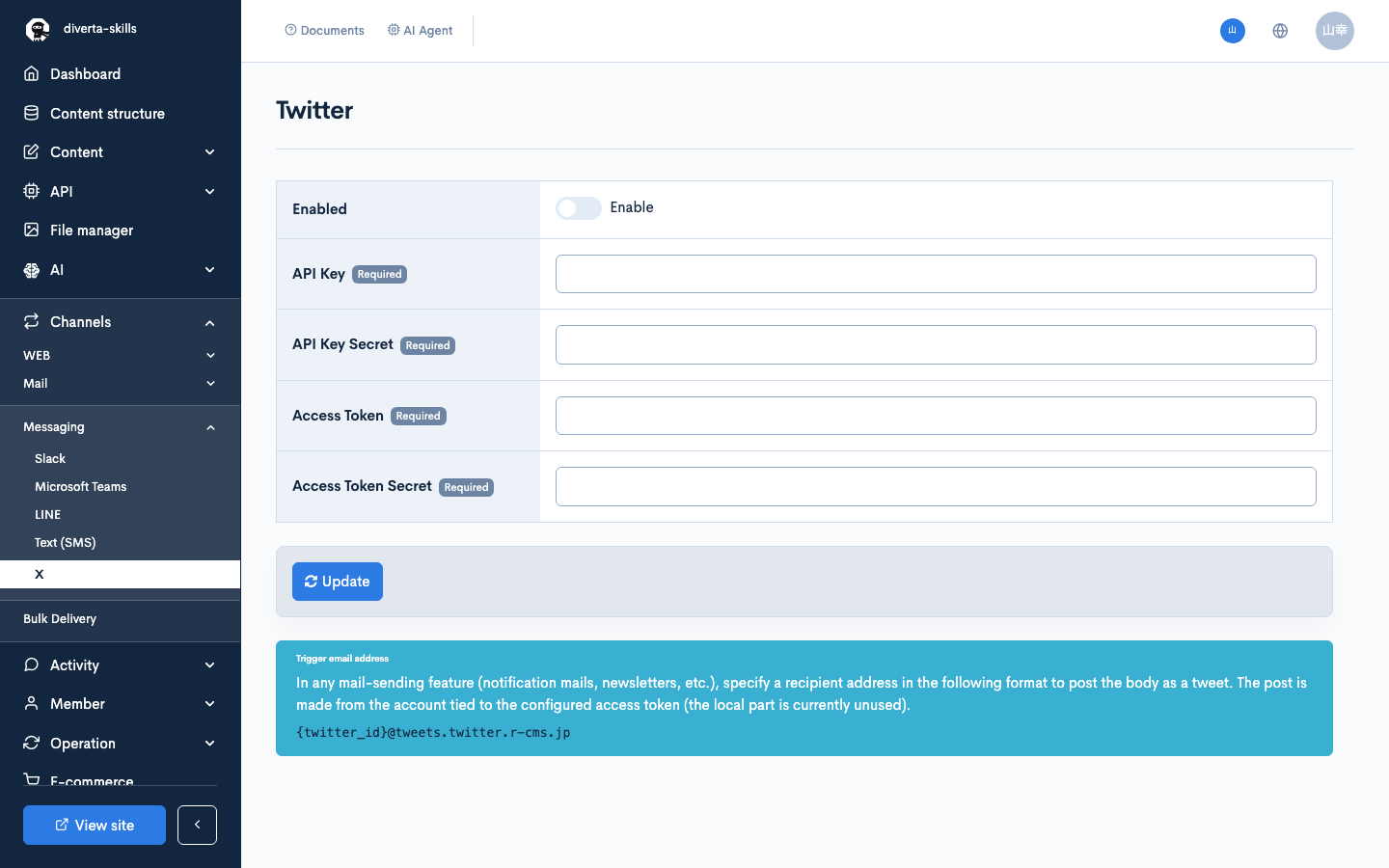
See Twitter and Setting up X (formerly Twitter) integration and automating posts with content updates for how to configure and use the X integration.
Batch process
Runs the batch process whose batch ID is specified in the local part.
{batch_id}@batch.r-cms.jp
The trigger email address is shown on the edit screen of the target batch, opened from [Operations] -> [Batch Template] (it appears after the batch has been registered).
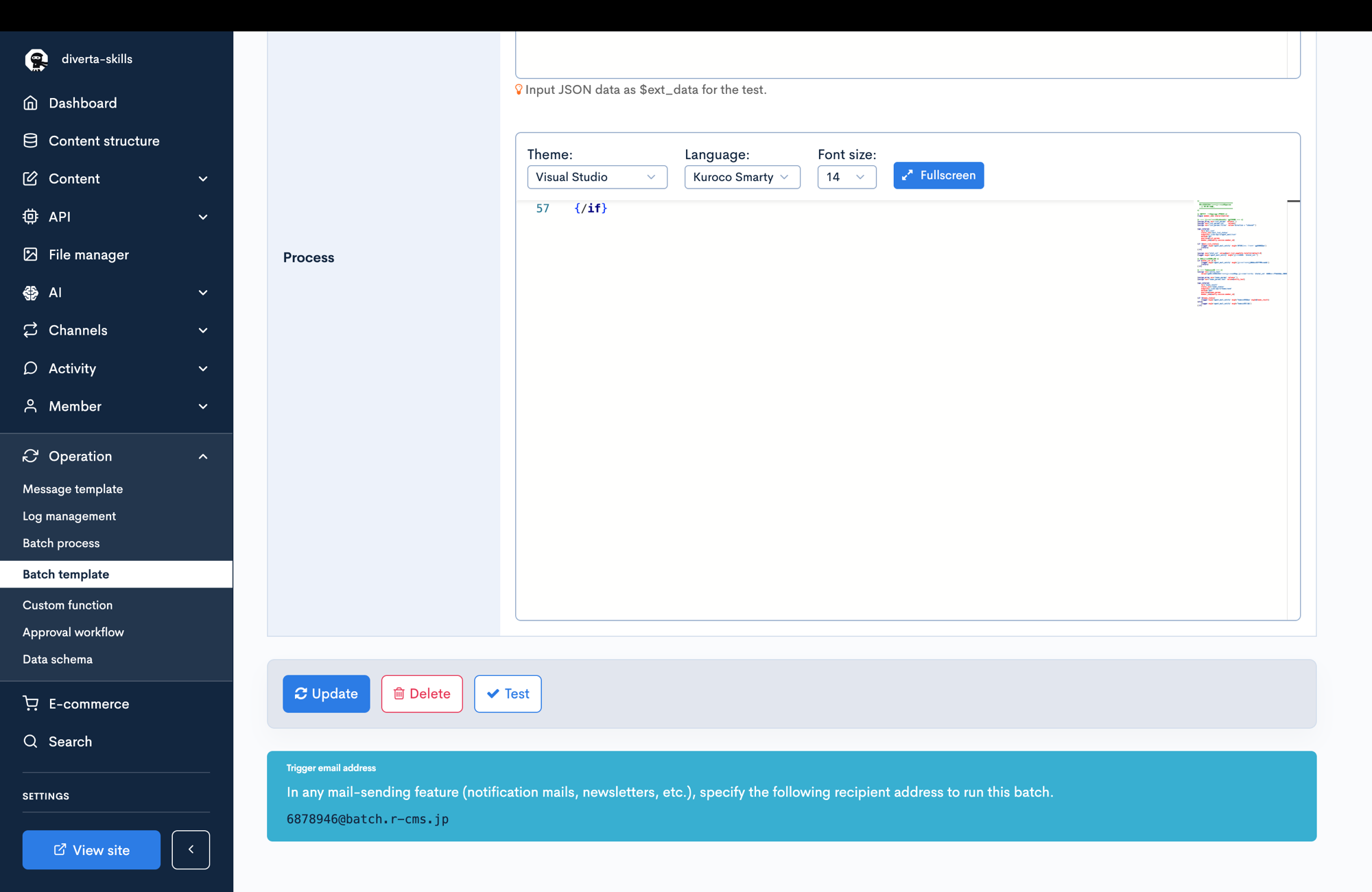
See Batch Template for how to configure batch templates.
AI agent
Starts an AI agent whose autonomous execution is enabled. The subject and body of the received mail are passed to the agent as instructions, and the agent takes action based on the content.
{ai_agent_id}@agent.r-cms.jp
The local part is the agent ID or the slug configured on the agent.
Slug specification
- An identifier used as the local part (before the @) of the trigger email address.
- Letters, numbers, hyphens and underscores are allowed (numbers only is not).
- The slug is case-insensitive.
- When empty, the agent ID is used.
- The agent-ID address keeps working even when a slug is set.
Prerequisites
- The agent's status is enabled.
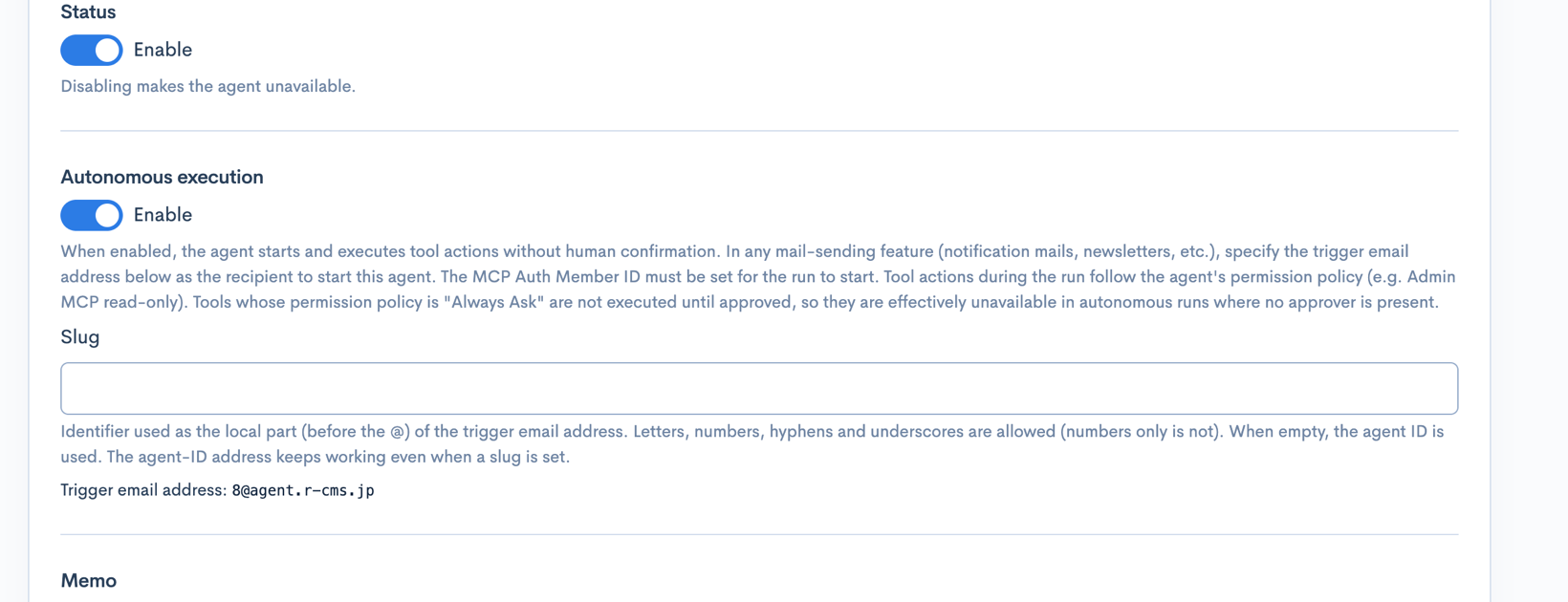
- [Autonomous execution] is enabled on the agent edit screen.
When autonomous execution is enabled, the agent can be started without human confirmation. Tool actions during the run follow the agent's permission policy (e.g. Admin MCP read-only).
The trigger email address is shown in the [Autonomous execution] section of the agent edit screen and on the agent list screen.
- If no matching agent exists, or autonomous execution is disabled, the agent is not started. The mail is not sent as an email in this case either.
- Mail sent as a result of an agent run does not start the agent again (loop prevention). Notification mail sent by another feature as a consequence of an action the agent performed (e.g. a workflow notification triggered by an approval the agent made) is treated as a new trigger.
Notes
- Mail addressed to a trigger email address is not sent as an actual email.
- Sending to each service or starting a process requires the corresponding integration to be enabled.
Related documents
Support
If you have any other questions, please contact us or check out Our Slack Community.