Can I configure multiple IP addresses as a group?
By setting a list of IP addresses separated by line breaks in a constant named IPSETS_*,
you can configure a group of multiple IP addresses using [[IPSETS_*]].
Configuration example
On the Constants page, configure the settings as follows:
- Set the name to
IPSETS_* - Enter the list of IP addresses separated by line breaks
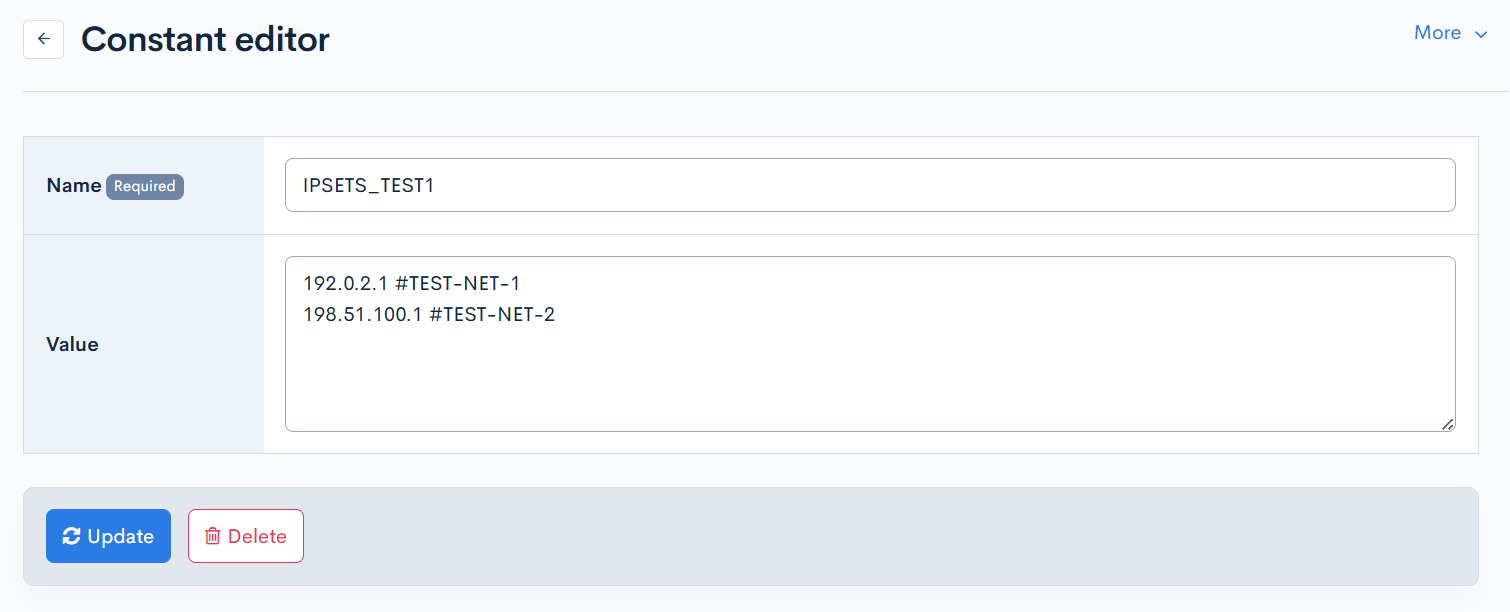
You can add notes for IP addresses using the #comment format.
Where it can be used
Currently, the following IP address restrictions are supported.
In the IP address restriction field, enter the configured constant name as [[IPSETS_*]].
-
IP address restrictions for API definitions

-
[KurocoFiles access restriction (IP address)] under [Environment] -> [Admin panel] Release version: β / RCversion

-
[Deny IP Address] under [Environment] -> [Admin panel] Release version: β / RCversion

-
[Restricted posting IP address] under [Environment] -> [Site settings]Release version: β / RCversion
*Since comments are not supported, you must list only the IP addresses (without comments) in the constants as well.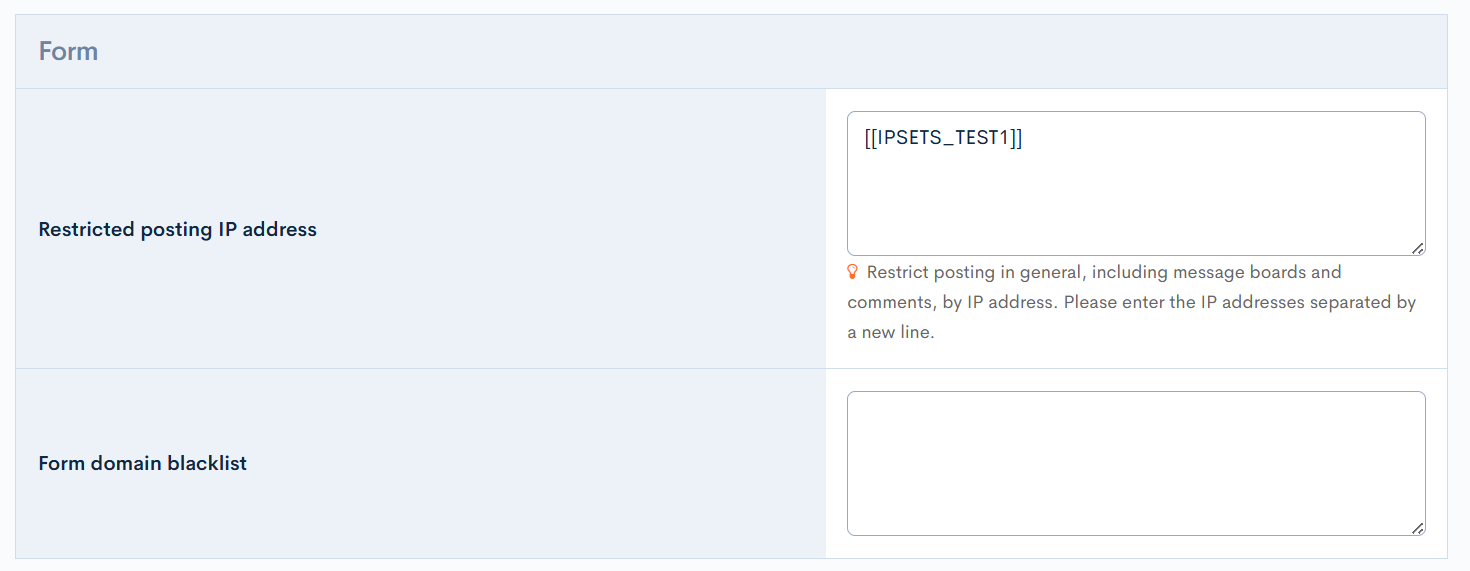
Support
If you have any other questions, please contact us or check out Our Slack Community.