Can I notify the password by email when registering a member from the admin panel?
You can notify the password in plain text through the registration notification email under the following conditions:
- Register members with a CSV file
- Generate passwords randomly
Configuration
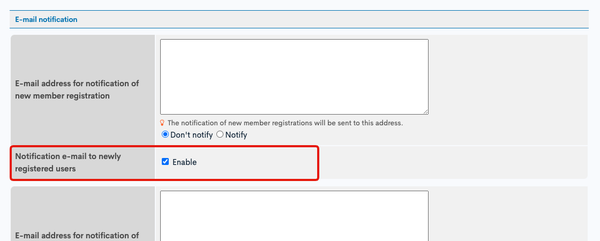
Member Detail Settings Screen
In the Member Detail Settings Screen, check the box for [Notification e-mail to newly registered users].
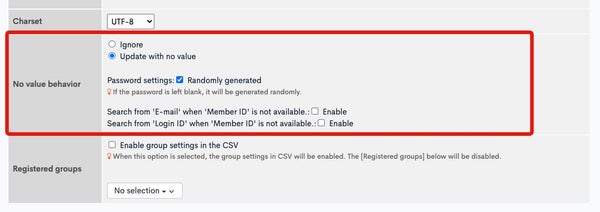
Member Upload Screen
On the Member Upload screen, when uploading a CSV file, set the following in the "Behavior when a value is missing" section and upload it.
- Update with no value
- Password: randomly
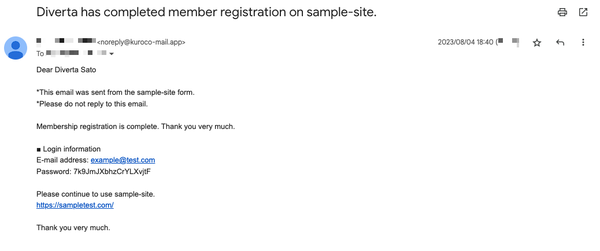
With the above settings, you will receive a notification email with the password displayed in plain text as shown below.
tip
- The wording of the above email can be edited on the Message Template screen.
The identifier for the relevant template ismember/regist_thanks.
tip
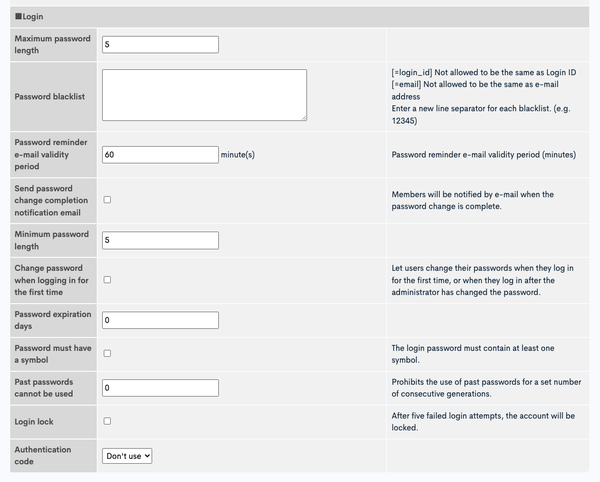
- The password policy can be set from the "Login" area in Site settings.
Related documents
Support
If you have any other questions, please contact us or check out Our Slack Community.