Why are HTML tags entered in content removed or rewritten?
The reason HTML tags are removed or rewritten depends on the field type.
If you want HTML to be saved and output exactly as entered, use the "HTML" field type and enable [Allow all tags].
WYSIWYG fields
In WYSIWYG fields, the editor (CKEditor) reinterprets the entered HTML in its own format. As a result, the HTML may be automatically normalized, such as removal of <span> tags with no content.
Because this normalization is performed by the editor on the content editing screen, enabling [Allow all tags] on a WYSIWYG field does not prevent normalization by the editor.
In addition, when [Allow all tags] is disabled, tags that are not allowed (such as <script> tags) are removed on save by the server-side sanitization process.
Text fields
In Text fields, tags that are not allowed (such as <script> tags) are removed when the content is saved from the admin panel.
Text fields do not have the [Allow all tags] setting. Use an HTML field if you want to save HTML.
How to manage HTML strictly
HTML fields are not normalized by a WYSIWYG editor. When [Allow all tags] is enabled, server-side sanitization is also skipped, and the entered HTML, including <script> tags, is saved as is.
-
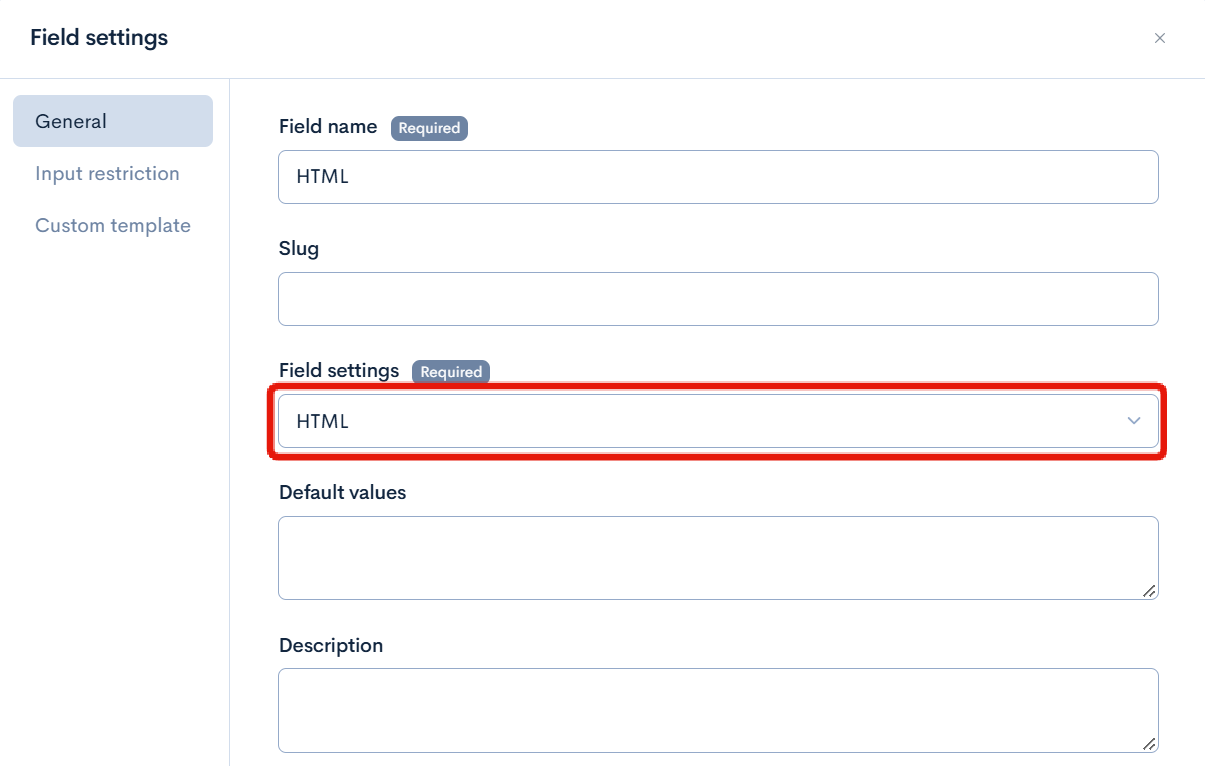
Open the target content structure in [Content structure] and add a new field. In the field settings of the added field, select "HTML".
-
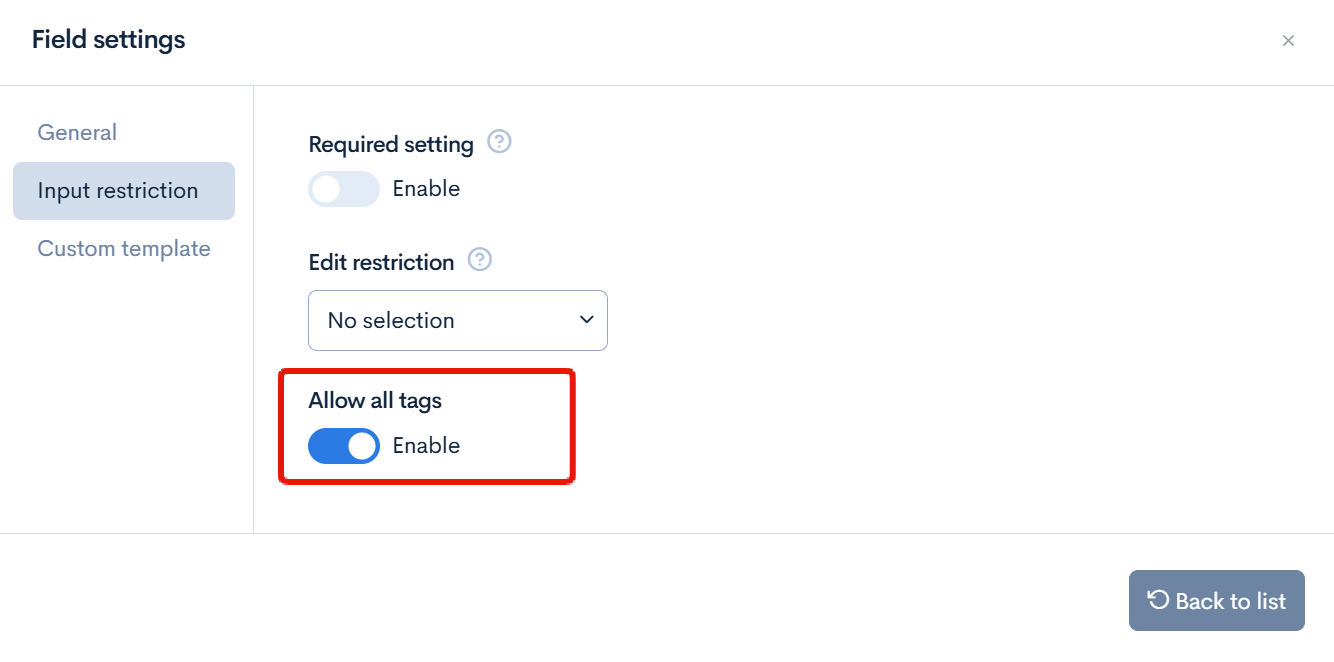
Enable [Allow all tags] under [Input restriction] in the field settings.
-
Save the content structure.
For details on the settings, see List of extension items available in the content structure.
When [Allow all tags] is enabled, dangerous HTML such as <script> tags is saved as is (sanitization for XSS protection is not performed). Enable it only for fields that are handled by trusted editors and data.
In addition, outputting the saved value as is on the frontend, for example with v-html, can cause XSS. Be careful about the content of the values you output.
Even if [Allow all tags] is enabled, <script> tags cannot be used in the default value of an HTML field.
Related documents
Support
If you have any other questions, please contact us or check out Our Slack Community.